How a Ceramic Artist Doubled Followers & Automated Website Ops
0
 Inna FomenkoProduct marketing
Aug 27, 2026
Self-promotion was the one thing I could never crack — then, in two months, everything moved.
 Inna FomenkoProduct marketing
Aug 27, 2026
Self-promotion was the one thing I could never crack — then, in two months, everything moved.
Hi, I'm Prosha Kolosov, a Berlin-based potter. I've worked with clay for 25 years. I'm confident in my craft — but self-promotion was always a struggle. I dismissed Instagram as a fad and missed the early wave.
As a freelancer, you're a jack-of-all-trades, and content, social media, and personal branding kept sliding to permanent second priorities.
So first, I needed an assistant. I started using Kinetik ↗ — a marketing agent built for creators — and this is the honest account of what changed.
I chose it because even in its early versions it was really good at describing me and my account. The way it turned the little it had — my Instagram and three websites — into a very precise picture was awesome.
It also feels more humane and less servile than a general chatbot. It doesn't give off a "SkyNet" or HAL-9000 vibe, and if I'm wrong, it doesn't just blindly agree with me.
It still makes mistakes, like any tool, so I've learned to review its work. But the starting point is a partner that already knows my niche, not a stranger looking at a blank page.
🖊️ Team's note: What is a "marketing agent for creators"?
It's a specialized agent for social media and marketing that keeps the context of your account, your niche, and your voice, then helps you position yourself, plan content, and run the marketing jobs a solo creator never has time for.
The practical difference: a general tool starts from a blank page; an agent built for creators starts from you — which is why it can help you post what only you can post, instead of nudging you to copy whatever's already working.
Here are the three things Kinetik took off my plate, in the order I found them. Each one is my account of what happened, followed by the editors' step-by-step so you can do the same on your own account.
Kinetik helps me brainstorm content, write captions in my voice, and plan daily stories. I still do the visual editing myself — it just keeps the workflow moving so I stay consistent.
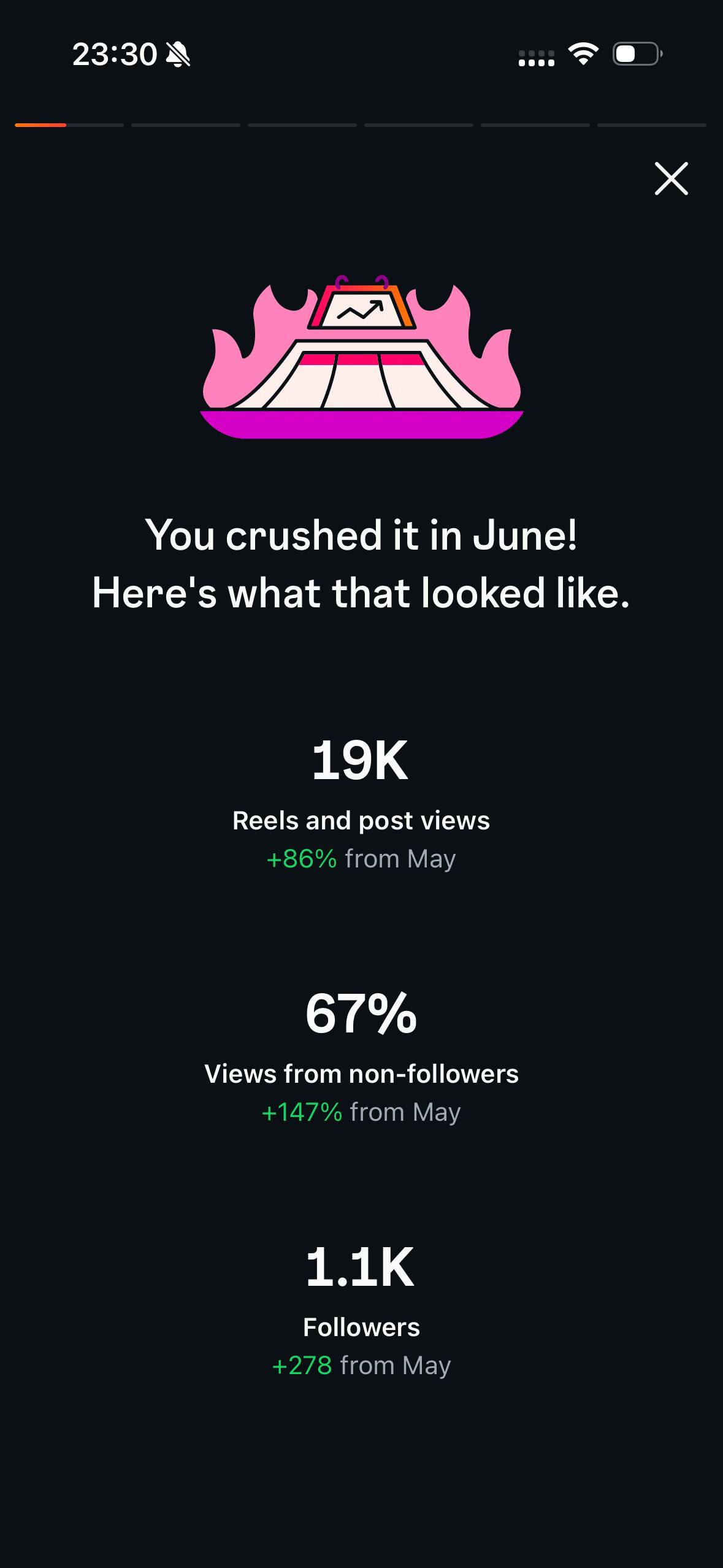
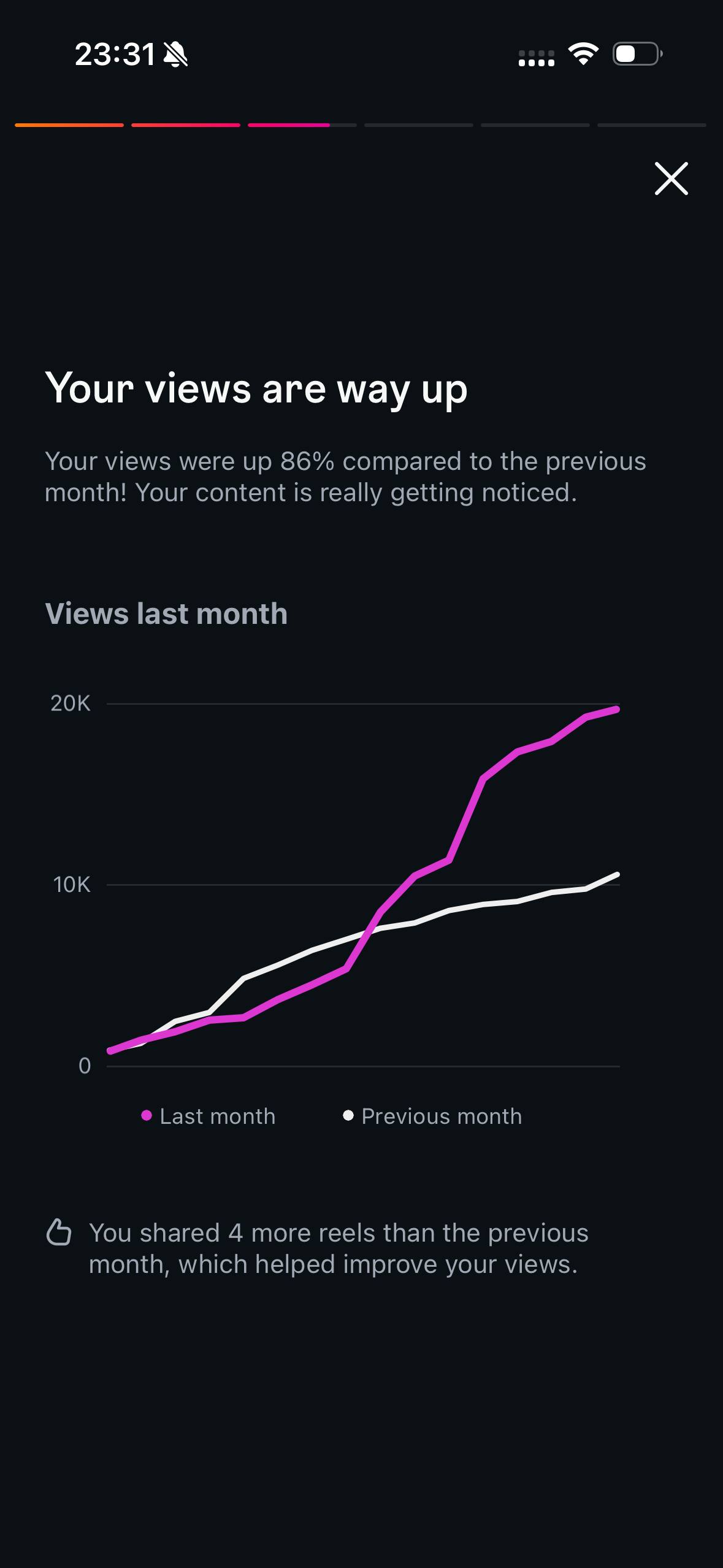
After one month, my followers doubled, and my engagement rate hit 6% — twice what it was. It's not magic. It helps me stay consistent and organized, which is the first thing you lose as a solopreneur.
I don't want to be a professional blogger; I want my work to be found and valued. Consistency is what the algorithm rewards, and consistency is what I couldn't sustain alone.
🖊️ Team's note: how to grow your Instagram with Kinetik
Prosha's results came from positioning and consistency. Here's how to set that up:
1. Start with your handle. The first analysis needs only your handle — no password. Then connect via OAuth so Kinetik keeps pulling fresh account data on its own.
2. Map your niche (X-ray skill). It scans creators in your niche and city and shows what makes you different.
3. Get a plan, not just posts. Pick one goal — be found, sell work, get commissions — and it drafts a weekly plan, captions in your voice, and daily stories.
4. Edit and post. Its drafts are a strong first pass; you keep the visuals and the final say.
5. Brain-dump by voice. Talk your ideas to Kinetik whenever they strike — it banks them and brings them back when they fit.
6. Let it run the loop. Kinetik reads your results, adjusts the plan on its own, sends "time to post" alerts, and proactively suggests topics from your data and idea bank.
Beyond social media, I started using Kinetik ↗ to search for grants and residencies, then align my CV and portfolio with what each one actually asked for. For a couple of weeks, I applied for more opportunities than I ever had in my life.
This was the surprise. The same agent that plans my content turned into a research-and-application engine. It surfaced opportunities I'd never have found on my own, then tailored my materials to each call — the tedious part that usually stops me applying at all.
🖊️ Team's note: how to do it yourself
This works because the agent already has your context, so it can match you to opportunities, rewrite your materials to fit and even apply. Here's the flow:
1. Give Kinetik your materials. Share your CV, portfolio links, and artist statement.
2. Describe what you want: in voice or in text. Be specific — medium, career stage, geography, funding vs. residency, deadlines you can realistically hit.
3. Ask Kinetik for a shortlist. Request a ranked list of grants and residencies that fit, with deadlines and requirements.
4. Kinetik tailors each application. For a shortlisted call, ask it to align your CV and portfolio to that call's requirements and draft the application text.
5. Review and submit as yourself. Check every factual detail — it drafts, you approve. Soon, Kinetik will be able to submit on your behalf, so stay tuned.
I connected my Ecwid webshop and my Squarespace mentoring site through API access.
With the sites connected once, it handles two jobs at the same time: uploading my ceramic pieces with captions, and optimizing SEO — the titles, descriptions, and page copy that help people actually find my work.
Together, that cut my website-and-SEO time by about 70%.
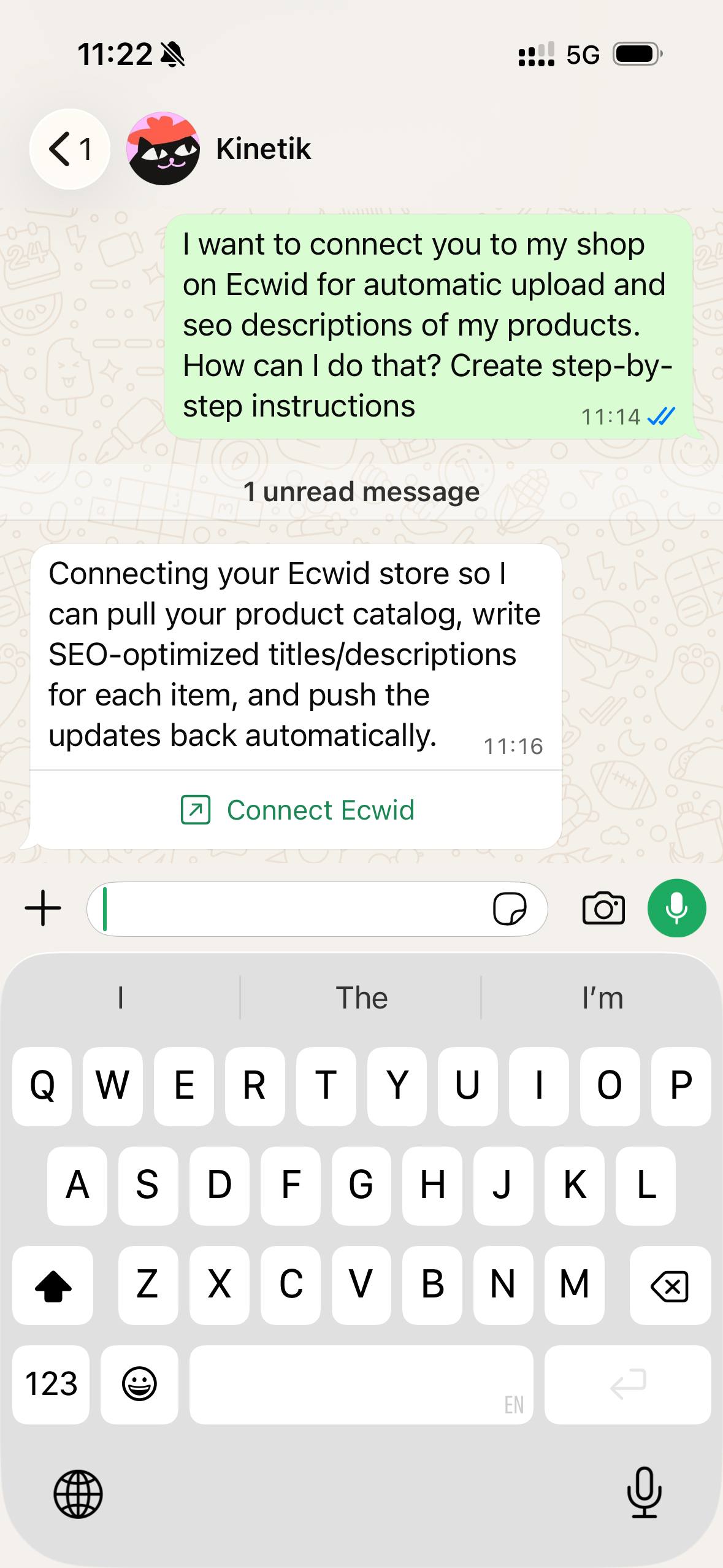
This is where "assistant" became "operator."
Instead of listing each new piece by hand, writing every description, and then tuning SEO on top, it ran the whole upload-and-optimize loop across my platforms.
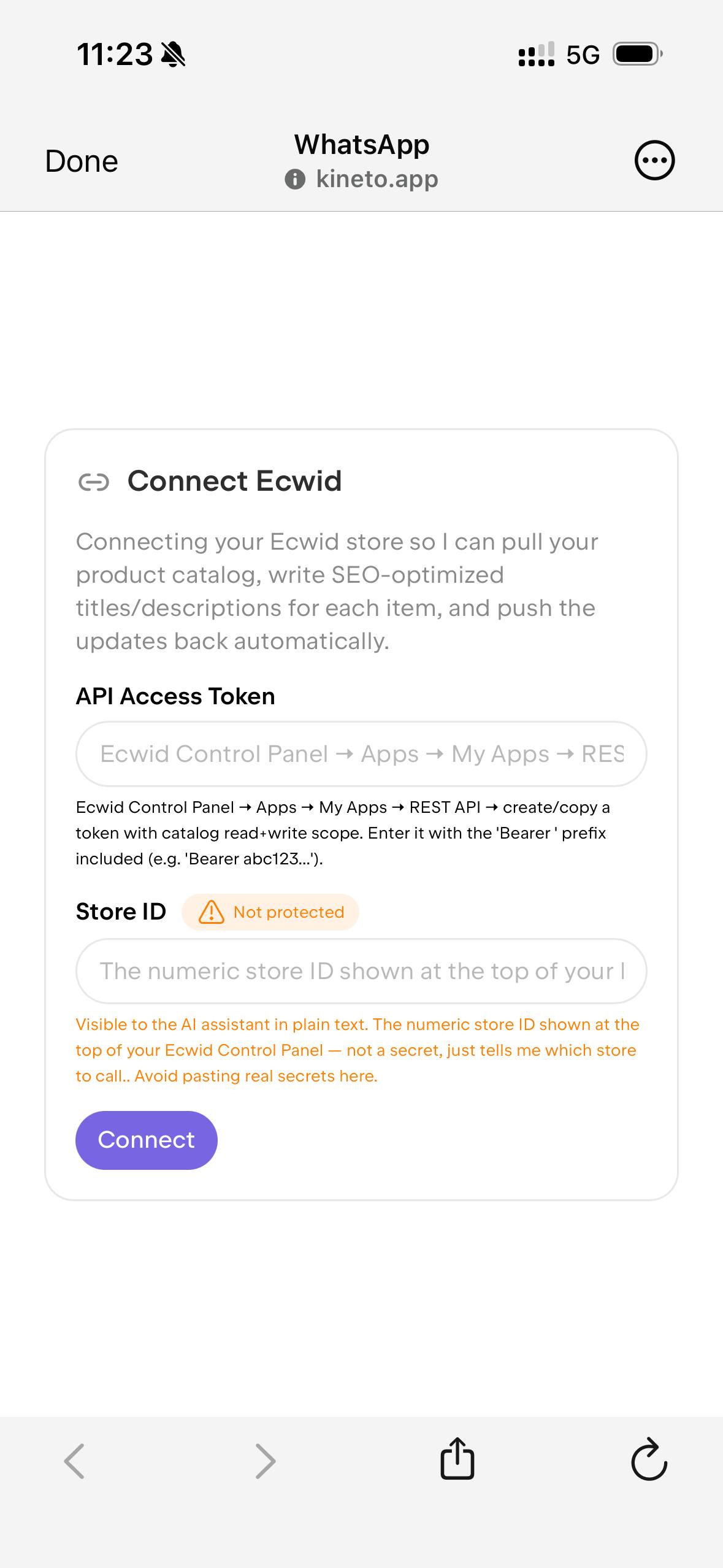
Automating uploads with captions is one of the most useful features, and one I don't think gets promoted enough. And because it already knew my positioning, the SEO copy still sounded like me — not generic keyword soup.
🖊️Team's note: how to connect once and automate uploads and SEO
⚠️ On API access: connecting a tool to your live shop is powerful, so do it deliberately — official API keys, minimum permissions, a small test batch, and a check of your platform's rules before scaling.
1. Tell Kinetik the task. Describe what you want to automate — e.g. "upload my new pieces with captions and optimize their SEO" — and it walks you through the setup step by step.
2. Get your platform API keys. In Ecwid (now Ecwid by Lightspeed) and Squarespace, generate an API key for a connected app.
3. Connect each site once. Add the credentials in Kinetik's integrations — the same connection powers both uploads and SEO.
4. Set your caption + SEO rules. Give it your product format (size, materials, price, tone) and the terms you want to rank for — e.g. "handmade ceramics Berlin," "pottery classes [your city]," your own name.
5. Run a small test batch. Upload two or three pieces, then check titles, captions, images, and meta descriptions live before you scale.
6. Scale, then revisit. Let it handle new pieces as you make them — you approve, it publishes — and refresh SEO titles and descriptions quarterly.
Reach for a general chatbot for one-off questions. Reach for an agent built for creators when you want it to know your account, hold your context over time, and run recurring marketing work. For ongoing social, shop, and SEO tasks, the specialized agent wins because it never makes you start from zero.
I don’t often use it for sketching, even though I was never against it - I just like doing it myself. I tell my students: “If you can’t draw it, write it down.” That’s exactly how prompting works!
The one thing I genuinely wish it had is in-app video editing like the AI modes in editing apps, to save me time on Edits and CapCut. If your work is video-heavy, know that for now you'll still edit elsewhere.
Want to try it on your own account? Start with your Instagram handle and one goal ↗ — being found — and let it build your positioning and first content plan from there.
Inna FomenkoProduct marketingAug 27, 2026


Send a photo with the words "Animate my photo," and Kinetik brings it to life.

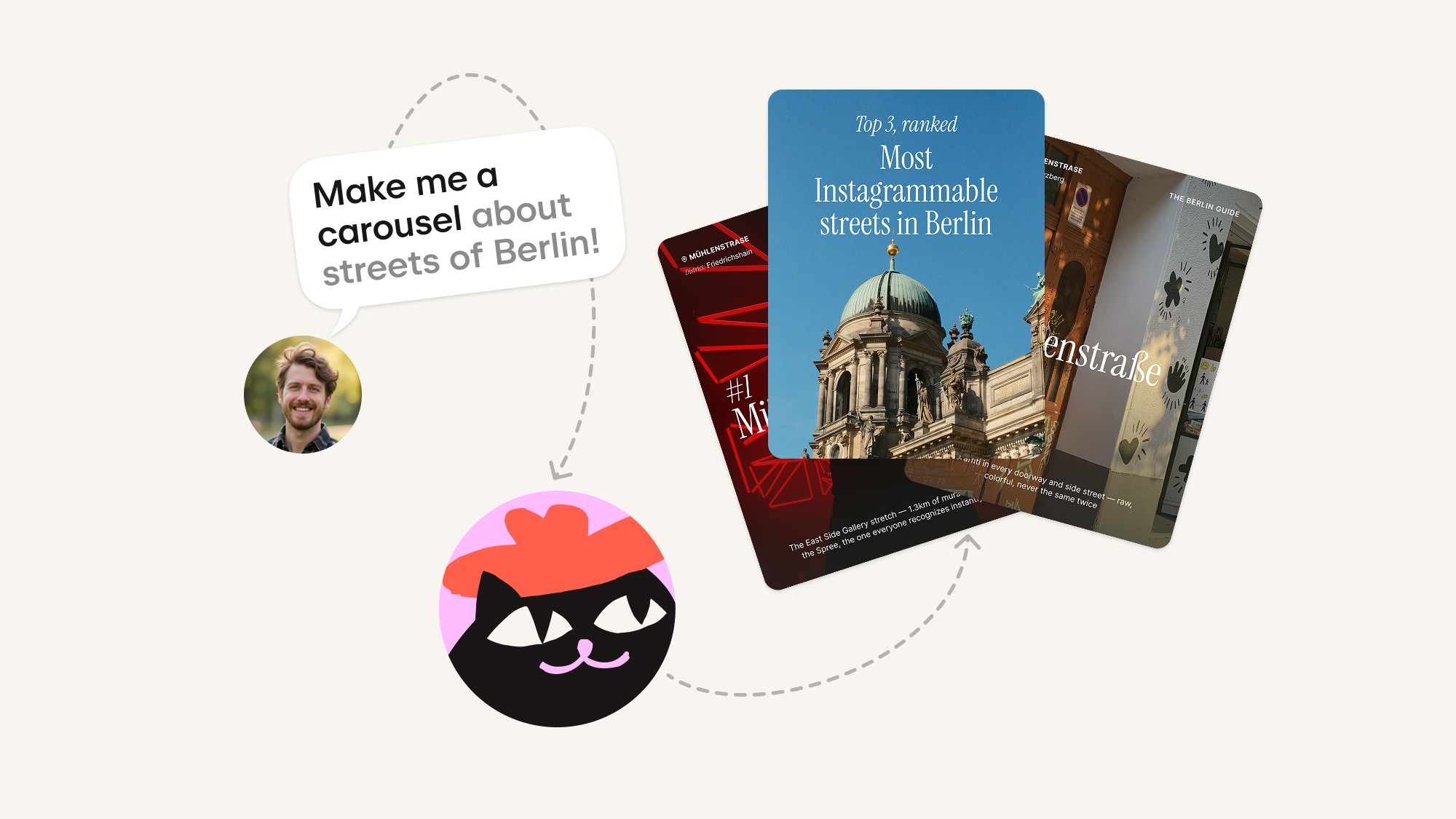
Bring a topic, and Kinetik writes the slides, chooses the images, and lays out the whole set — you just review, tweak, and publish.
AI did not just make coding faster. It moved the line between what you buy and what you build. Everything teams still rent from vendors on top of their own data now takes a few hours to build — and gets customized for you, not for somebody else's roadmap.