We use cookies to enhance your development experience and keep your data secure.

Kinetik is live in ChatGPT: Posts and Reels in your style – with an editor’s touch

0
Inna FomenkoInna FomenkoProduct marketing

Nov 20, 2026

Connect Kinetik to ChatGPT and turn it into your full-time content team. Edit Reels, design carousels, and give your photos a makeover with trending effects.

Kinetik is an AI agent for social media, now available as a connector in ChatGPT. Mention @Kinetik in a chat and ask for a carousel, a Reel or this week’s trends. Kinetik makes the content for Instagram, TikTok and LinkedIn, and publishes to Instagram or sends videos to your TikTok drafts only after you approve. It works on chatgpt.com and in the ChatGPT mobile app.

Loading...
Loading...

For a lot of creators, the post begins in ChatGPT. You brainstorm angles there, draft a caption, ask for hook ideas. Then the real work starts somewhere else: a design tool for the slides, your feed for a trend, an editor for the video, then exporting and uploading.

Now you can bring a raw clip from your phone, ask for a designed carousel, or share the product update you just drafted. Kinetik edits the Reel, makes the carousel, or finds trends you can actually use, right in the chat where you already work.

You’ve recorded the clip. Now you’re scrubbing through three takes to find a first line that earns the next five seconds. Upload the raw footage, or brainstorm the idea in ChatGPT, and mention @Kinetik.

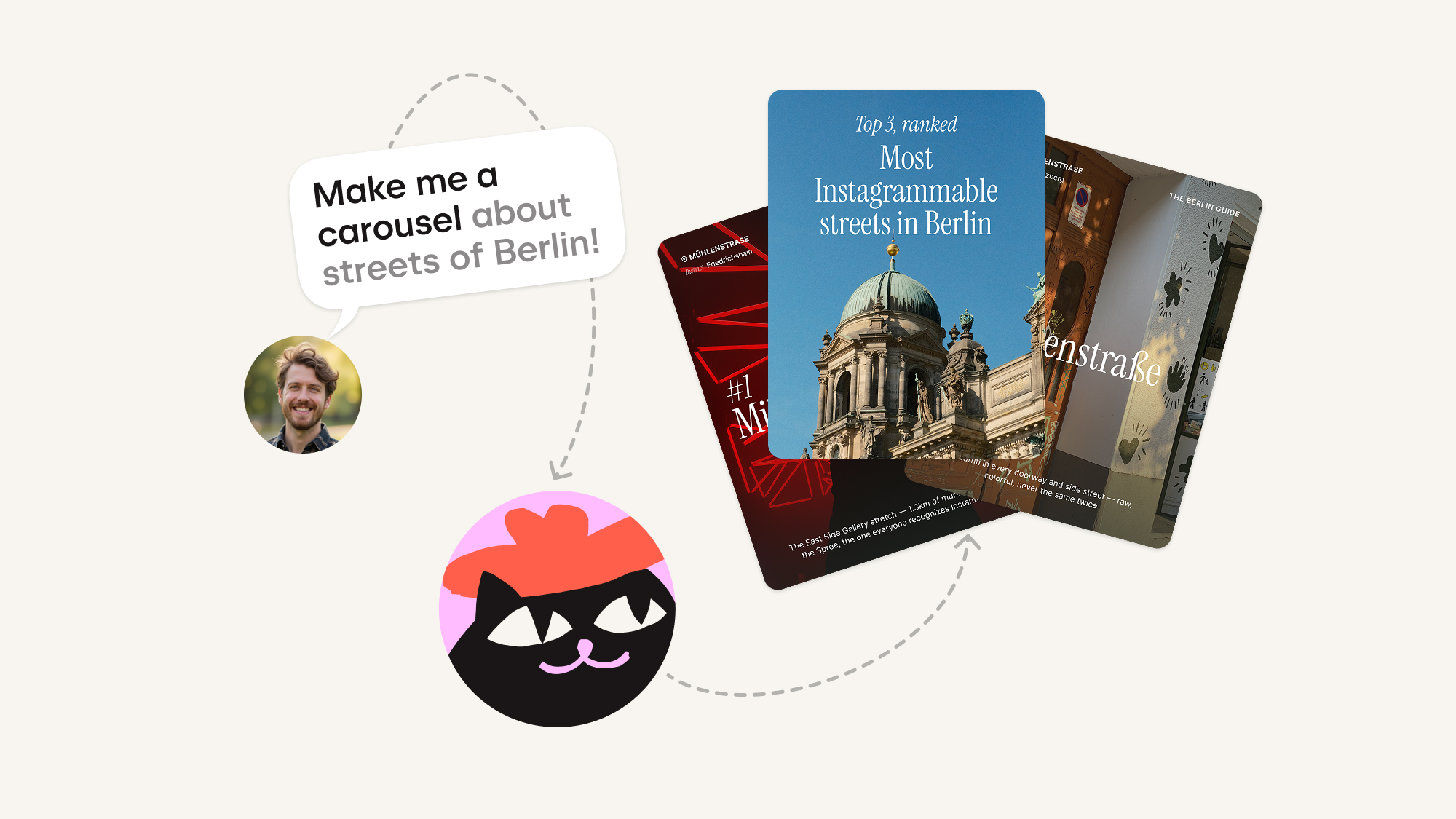
For carousels, Kinetik designs slides that match your brand style. Our carousel engine makes slides that look like they came straight from a professional designer.

Prompt to start (swap in your own topic):

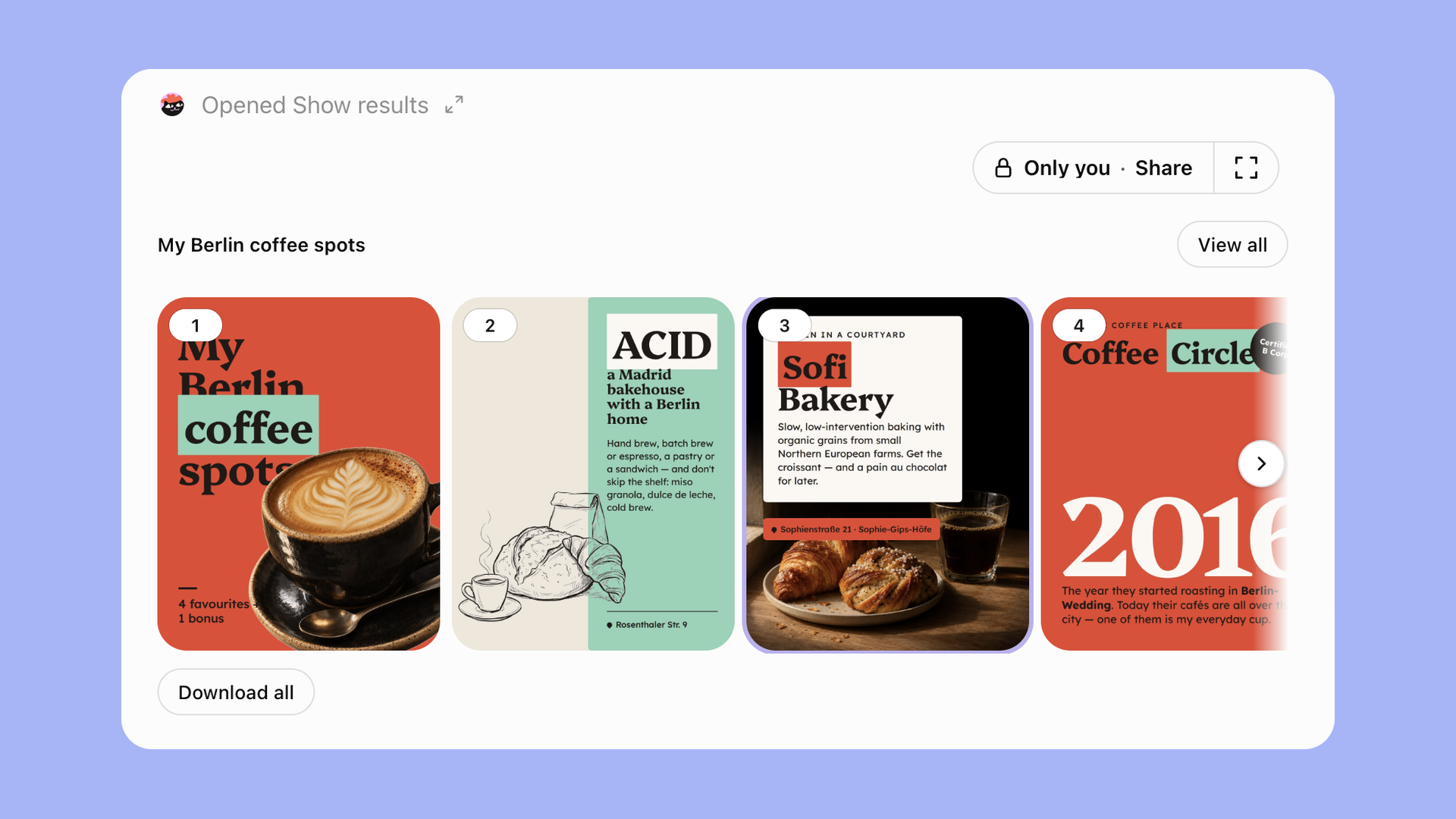
Connect to my Instagram account and create a carousel about [my favourite coffee places in Berlin].


Kinetik carousel in the ChatGPT widget

Want a different font or design? One tap. Or regenerate the whole set. Your carousel is ready in under 5 minutes.

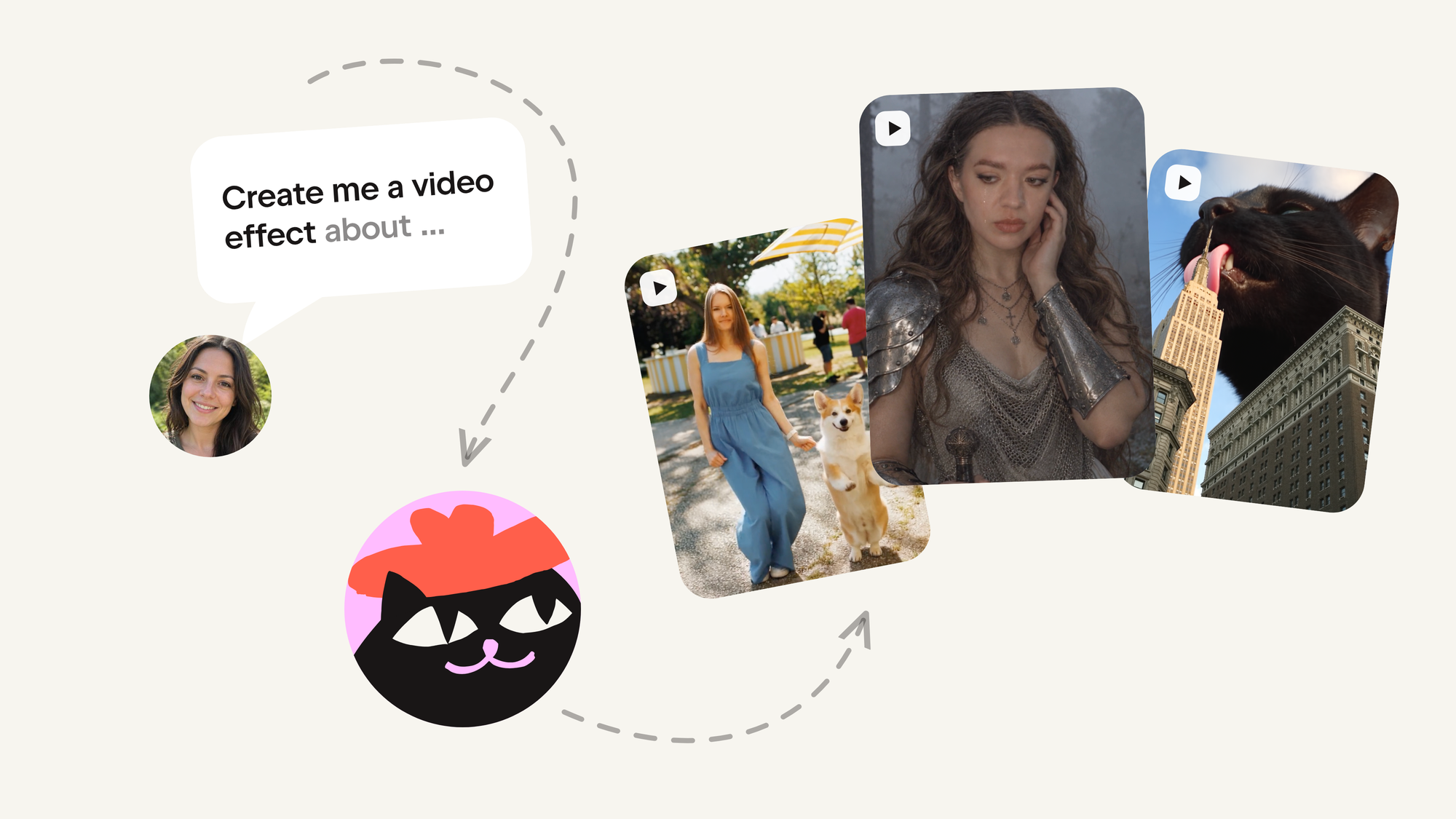
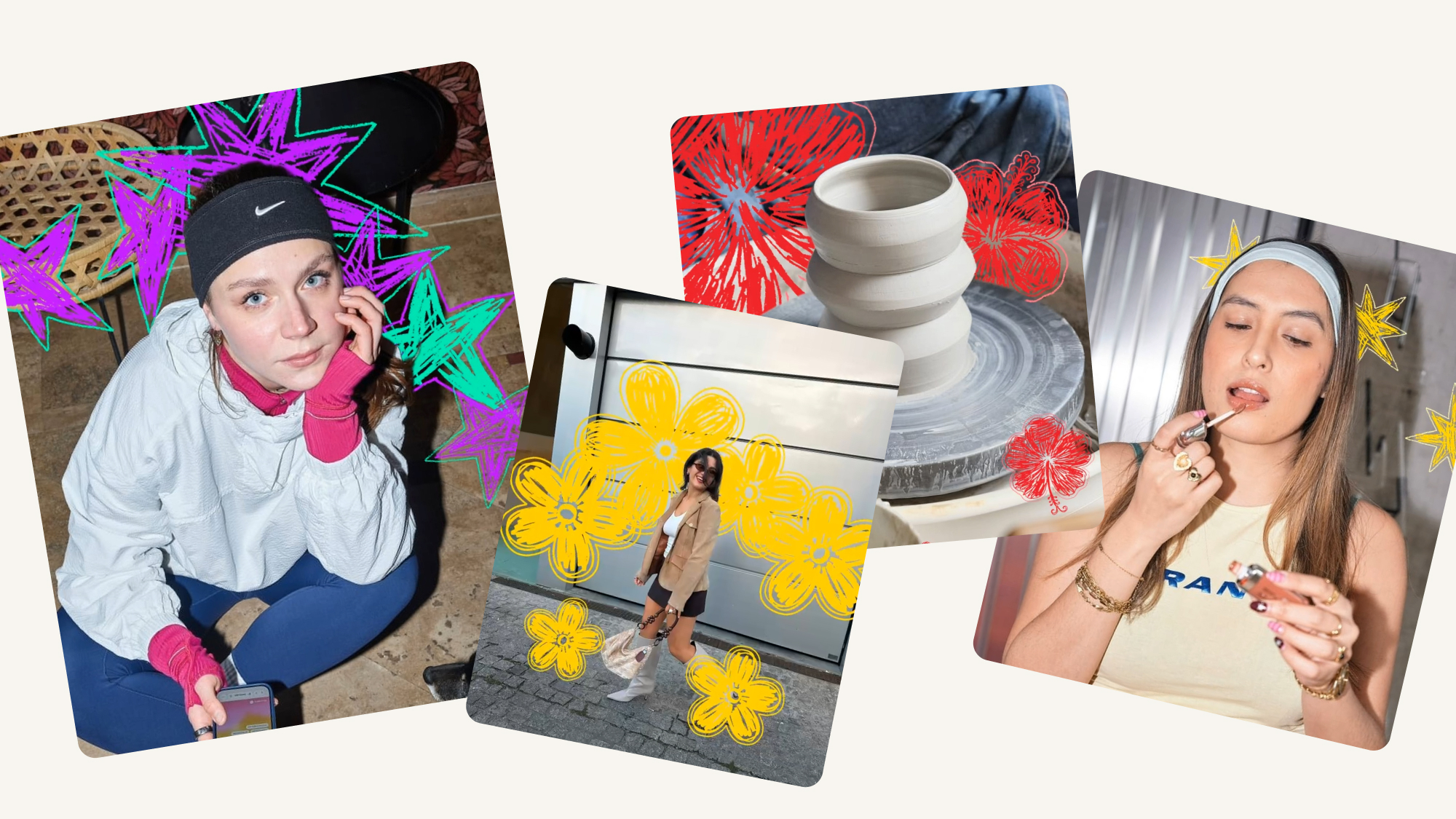
Ask ChatGPT for 3 social media trends to try this week. Kinetik keeps an eye on the feed and brings the effects that are rising right now into your chat, so you get what’s actually taking off. You can also ask for one by name, like “make it huge” or “stylish knight”. Apply any trend right in the widget: share your photo or video and get the result back.

Show me the top 3 viral trends I can use this week. Update them weekly.

Loading...
Loading...

New: AI Reel editing

Send your raw clips, and Kinetik cuts and trims them and adds graphics and subtitles. You can also start from an idea for a short video or apply a trending effect to one of your own photos.

Edit my raw video into a Reel and suggest 3 hooks. Keep the moment where I show the finished result. Cut the setup, add on-screen captions, and give me one direct hook, one curiosity hook, and one that starts with the reveal.

A great first task if a clip has been sitting in your camera roll because you haven’t found the opening yet.

Here’s what that looks like. On the left is the raw clip, exactly as it came off the phone: this is what you send Kinetik. Next to it is the Reel Kinetik edited from it, with the setup cut, the pace tightened, and subtitles and graphics on top. Ready to post.

Before: the raw clip you send
After: the Reel Kinetik edited

What Kinetik does in ChatGPT, end-to-end

  • Carousels and posts in minutes

    Give it a topic and get every slide plus a caption in your brand voice.

  • Trending effects of the week

    It finds what’s rising and applies it to your photos and clips.

  • Reels from raw video

    It edits your footage into a Reel and suggests hooks to open with.

  • Growth analysis

    It reads your Instagram account and shows what’s working and where to grow next.

  • Regular tasks, delegated

    Ideas for your next posts and a weekly trends update, without asking twice.

  • Publishing on your OK

    It posts to Instagram and sends videos to your TikTok drafts — only after you approve.

How to add Kinetik to ChatGPT

It takes under a minute. You need a Kinetik account; any plan works.

  1. Open Plugins in ChatGPT. On chatgpt.com or in the ChatGPT app, open Plugins in the left sidebar.
  2. Add Kinetik. Find Kinetik — or go straight to the Kinetik plugin page in ChatGPT  — hit Connect and sign in to your Kinetik account.
  3. Call @Kinetik in any chat. Open a chat, type @Kinetik and ask for what you need: a carousel, a Reel or this week’s trends.

Connect an Instagram Business or Creator account if you want Kinetik to analyze your performance or publish an approved post. If you’ve connected TikTok, Kinetik can send a video to your drafts for you to review there.

Four prompts to try first

Tap a prompt to open it in ChatGPT, already typed in. The first version is a starting point: keep talking in the same chat — “make the hook shorter”, “swap slide 4”, “try a different effect” — and Kinetik refines it.

Instead of five tabs and a copy-paste routine

The usual flow looks like this: ideas in ChatGPT, slides in a design tool, trends on your feed, video in an editor, posting in the app. Every handoff is another tab and another chance to lose the thread.

With the connector, ChatGPT is where the idea starts and Kinetik is where it gets made, in one conversation. Ask for a Reel on the go and approve it later. Nothing gets posted until you say so.

Frequently asked questions

It brings Kinetik, an AI social media copilot, into ChatGPT. Mention @Kinetik in a chat to create carousels, Reels and trend-based posts, then approve them for publishing.
Yes. You sign in once, when you press Connect in ChatGPT. The connector works with any Kinetik plan — plans differ only in the number of credits.
Kinetik makes content for Instagram, TikTok and LinkedIn. It can publish to Instagram and send videos to your TikTok drafts.
No. It acts only when you ask, and nothing is published until you approve the post.
Yes. The interface may look slightly different, but every feature works the same on web and mobile.
ChatGPT Plus or Pro is recommended. Kinetik also works on the free ChatGPT plan, with some limits — Reel editing and video generation depend on the credits available to you.
0
Inna FomenkoInna FomenkoProduct marketing

Nov 20, 2026

More articles